
Accessing EOImpl methods from VOImpl


When you have a requirement to access EOImpl level overridden methods or any custom method from VOImpl follow below steps.

1.Create/Override method in your EOImpl class

In above example i have overridden the getEntityState method to print the state of my current entity row.

2. To access this method in VOImpl class
Create VOImpl and VORowImpl classes for your view object.


See the code written in below VOImpl class to access the EOImpl methods.


3. Now you can expose this method to client tier through VO/AM Client Interface.
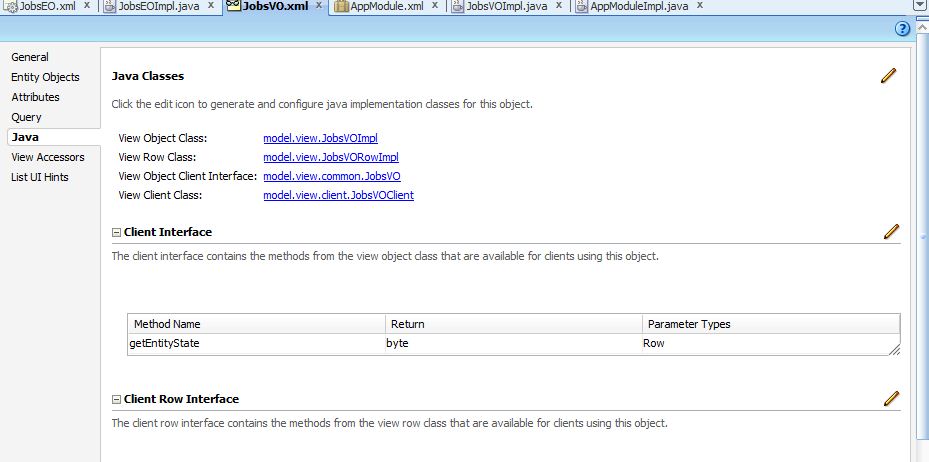


As per your requirement you can use the client interface and achieve the functionality.


Comments

Popular posts from this blog

The file store "WLS_DIAGNOSTICS" could not be opened

WLS_DIAGNOSTIC ERROR weblogic.store.PersistentStoreException: [Store:280073]The file store "WLS_DIAGNOSTICS" could not be opened because it contained a file with the invalid version 1. A file of version 2 was expected. When you get this error while running your application on internal weblogic server delete the following file WLS_DIAGNOSTICS000000.DAT search the file in following path C:\jdev_work\system11.1.1.5.37.60.13\DefaultDomain this file is in DefaultDomain folder of your jdev. and delete the WLS_DIAGNOSTICS000000.DAT file . and run your applicatuon

Overview Editor for bc4j.xcfg

This is used to customize the configuration settings for the application pool, connection pool, and transactions. Select the Application Module, then select a configuration from the Configurations list. You can specify a Default Configuration from the dropdown to use with selected application module. Edit the name of the configuration in Details. Its having 3 tabs 1.Database and Scalability 2. Properties 3. Custom Properties Database and Scalability Tab : In Database and Scalability you can mention the JDBC data source definition for each application module. You can choose to connect to a JDBC data source or to a JDBC URL.The default connection type is the default data source. A data source is a vendor-independent encapsulation of a database server connection on the application server. 1. Data sources ( JNDI name) offer advantages over a JDBC URL connection because the data source can be tuned, reconfigured, or remapped without changing the deployed application. 2. JDB...

WebCenter Deployment Architecture

The main components of the deployment architecture are: • WebLogic Server • Portlets deployed in Portlet Container • Metadata storage for customization information • Enterprise Content Management solution with Content Adapters • WebCenter Services • WebCenter Search • Identity Management         WebLogic Server, which is a Java EE–compliant application server, is at the center of WebCenter. WebCenter applications are Java EE applications that are deployed to WebLogic Server. WebCenter Spaces is a prebuilt custom application using WebCenter Framework and Services. Portlets : WebCenter applications can consume portlets. Portlets are deployed into a Portlet Container and are accessed by various HTTP-based network protocols such as WSRP and SOAP. Oracle WebCenter supports several portlet APIs such as JSR 168 and PDK Java.   Metadata Services : WebCenter applications can be customized or personalize...